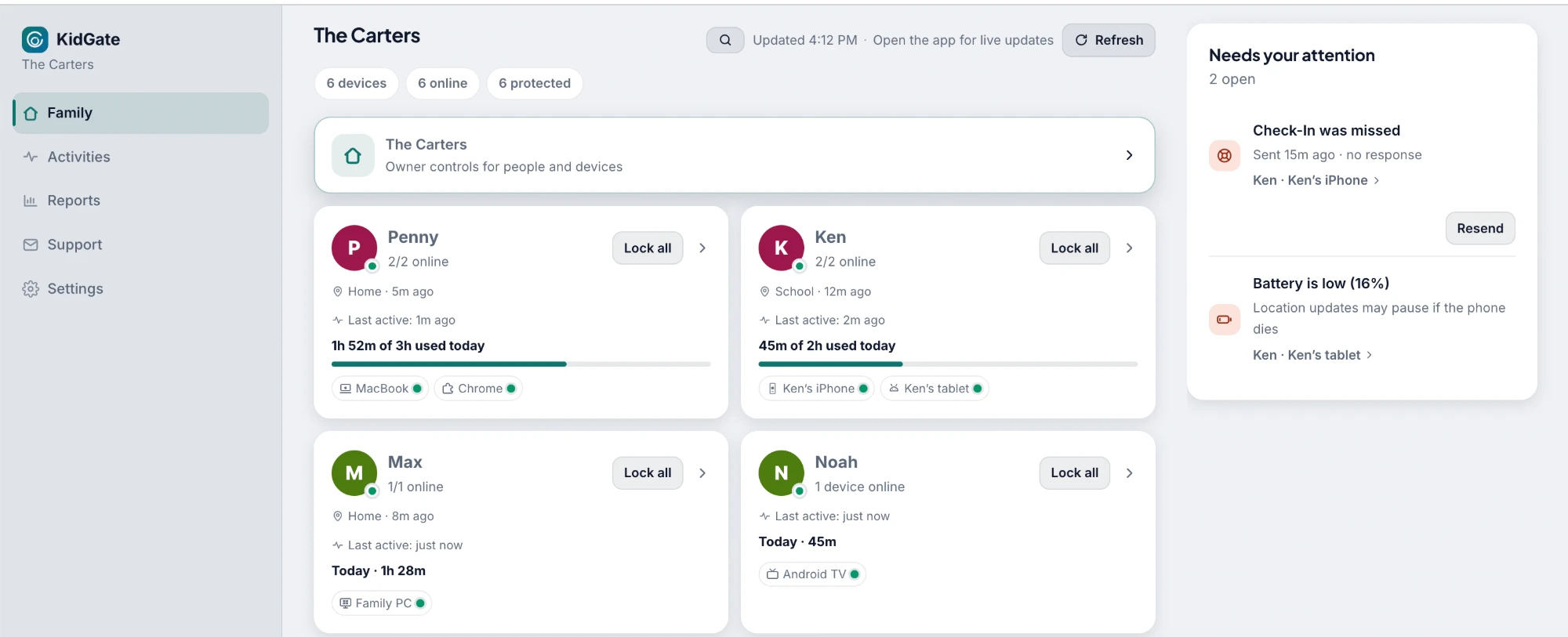
Screen Time & Daily Limit
Set a daily cap and Blocked Hours for school and bedtime. The device locks itself when time is up.
KidGate gives parents calm, clear control over screen time, apps and safety — while kids keep a phone that still feels like theirs.

From daily limits to emergency alerts — one app for the whole family’s digital wellbeing.
Set a daily cap and Blocked Hours for school and bedtime. The device locks itself when time is up.
Choose which apps your child can’t open, protected by your Parent PIN, and switch blocking on remotely.
On Android, Android TV and computers, cap each app on its own — “half an hour of TikTok” without banning it.
Block adult sites, gambling, self-harm and more on every device; with Premium, also see which sites were looked up.
The YouTube videos and Shorts your child watched on Android and in Chrome, plus videos on Android TV. Not on iPhone.
See where your child is up to 10 times a day; Premium adds live location and alerts for saved places.
Ask your child to confirm they are safe; in an emergency, their phone sends you an instant SOS with location.
Know the moment an important permission is switched off on your child’s phone, and approve new apps on Android, Android TV or a computer; until you do, KidGate keeps them closed.
Children earn bonus minutes and stars for finished tasks, or ask for more time — you approve both from your phone.
Lock the device now and release it when you are ready — dinner, homework, or a rule that was ignored.
Every Monday: screen time, the daily average, what was blocked, and how the week compares with the one before.
Everything that happened, in order — a device unlocked, a request answered, an alert raised; today on the free plan, 30 days on Premium.
Six things we checked against the apps parents compare us with. Each one names the platform it is true on.
See how KidGate compares with Family Link, Screen Time and others
Android TV gets a Daily Limit, Blocked Hours, Blocked Apps and a Web Filter. Blocking is best-effort on a TV — a blocked app is sent back to the home screen — and there is no SOS or extra-time request from the sofa. A TV shares no location either. Most parental controls stop at the phone.
With Premium on Android, messages are checked on the device against keyword lists in up to three languages you choose, out of 14, and what leaves the phone is the matched word or phrase, never the conversation. One thing changes that, and only if you ask for it: turn on AI confirmation and an ambiguous incoming message is sent to Anthropic’s Claude to be judged, so you are not woken by an ordinary word.
Alerts come from the notifications of whatever app your child uses — not a fixed list of supported apps — and from typing in the main chat, social and game apps, Zalo, LINE and KakaoTalk among them. Android only, with Premium.
Holding SOS for five seconds on a phone reaches you at once, with location — and on Android it also opens calls, maps and messages for five minutes, even on a locked phone. A child who can reach help from the lock screen has no reason to fight the app.
Blocked Hours and Daily Limit are enforced on the device itself, so unplugging the router changes nothing. The TV even accepts your Parent PIN with no connection at all.
With Premium, every weekly report keeps room for what went well — a limit respected, a late night gone, a task finished — and says it only once the week was actually measured.
Designed to keep the conversation between parent and child open.
We tell you what each platform can and cannot enforce, instead of promising control that does not exist.
One Premium subscription covers every parent and every child device, and only the family owner pays. The free plan keeps one child device monitored.
Invite a second parent to manage the same children, with access the owner approves. A family can have up to 3 parents on the free plan and during the trial, and up to 6 with Premium.
We never sell personal data and never use children’s data for advertising. Delete everything anytime.
The same rules and the same family account on a phone, a computer and an Android TV — and the same Web Filter in Chrome. The desktop app comes from this site, not from a store.
Scan with your phone’s camera to get the app
macOS 12 or later, on a Mac with Apple silicon.
DownloadOpen the downloaded package and follow the installer. macOS then asks you once to allow the KidGate system extension: open the settings that message points to and allow it there. The Web Filter does not run until you do. After installing, KidGate keeps running from its icon in the menu bar; click the icon to open its window.
Windows 10 or later, 64-bit.
DownloadYour browser may first warn that the file isn’t commonly downloaded — choose to keep it. Then, when Windows says it protected your PC, choose More info, then Run anyway. After installing, KidGate keeps running from its icon in the notification area; click the icon to open its window.
The family’s shared screen in the living room, with the same limits and the same schedule as the phones. A TV shares no location and has no SOS.
Google PlayThe Chrome extension brings the Web Filter into the browser, even on a computer that cannot run KidGate. When you turn them on, it also records the YouTube videos your child watched, flags worrying searches, and tells you when an extension is added, the way KidGate does for new apps on a phone. It does not measure screen time or block apps.
Chrome Web StoreWindows shows a SmartScreen warning for any app installed from outside its own store by a developer not yet on its verified list — it is not something found in KidGate. The Windows card above says how to allow it. The Mac package is signed with an Apple Developer ID and notarized by Apple, so it raises no warning. Download only from kidgate.app.
Screen Time, blocked attempts, location and anything that needs your attention — on your phone, or in any browser.
No technical skills needed — the app walks you through every step.
Install KidGate, choose “This is a parent device”, and sign in with Google or email — or Apple, on an iPhone.
Install KidGate on your child’s phone and connect it by scanning a QR code. Under a minute.
Pick a Daily Limit and Blocked Hours, and turn on location and Blocked Apps from your own phone. The apps to block are chosen once on your child’s device, with your Parent PIN.
Every rule keeps working on Free. Premium adds what you can see, and how soon.
| Free | Premium | |
|---|---|---|
| Live | ||
| Updates from the device | When you check | Live |
| Location | When you open the map | Live, with history and Place Alerts |
| Every detail | ||
| Screen Time | Today, top 3 apps | Top 10 apps, hour by hour, 30-day history |
| YouTube and video history | — | |
| Web | How many, not which | Which sites, by name |
| Weekly report | Once, when the trial ends | Every week |
| Activity feed | Today | 30 days |
| Per-child reports | — | |
| Alerts | ||
| New apps installed | How many, not which | Which apps, by name |
| Message Alerts (Android) | — | |
| Protection Alerts and Check-In | Alerts + Check-In | Adds a photo to every Check-In |
| Every device | ||
| Child devices | Rules on all, reports from 1 | Reports from all |
| Parents | Up to 3, including you | Up to 6, including you |
| Finer controls | ||
| Blocked Apps and Web Filter | On or off, a fixed set of categories | Any app, by category, your own lists, site requests |
Both plans include the Daily Limit, Blocked Hours, App Limits, Device Lock, SOS, Time Requests, Reward Tasks and the web dashboard.
Due to platform limits, some features may not be available on every device.
Quick answers before you download.
Yes. The 7-day trial starts when your first parent and child devices are connected, and includes every Premium feature. When it ends, the rules you set — Daily Limit, Blocked Hours, Blocked Apps, Web Filter, Device Lock, Time Requests and Reward Tasks — keep working for free on every child device that supports them, and the one device you choose to keep monitored still shares its location. Live activity, history, weekly reports and live location are what Premium adds back.
Premium covers up to 25 child devices and 6 parents, you included, and every device sends activity. The free plan covers up to 8 child devices and 3 parents. Every device keeps enforcing the rules you set, but only the one you choose sends activity; on the others, those rules can be relaxed but not tightened.
On iPhone and iPad signed in with a child’s Apple account, KidGate can’t be deleted without your approval. On Android, Uninstall protection stops it being removed, and switching that off in Settings sends you a Protection Alert. On a Mac or Windows PC, give your child a standard account: removing KidGate then needs an administrator’s password. The Chrome extension can be removed, and that computer then shows as offline. Sensitive settings sit behind your Parent PIN.
Yes. The parent dashboard opens in any browser. Scan the code it shows with the KidGate app on your phone and you see the same family, devices and settings, with the controls unlocked. You can also sign in with your account to read; locking a device or changing a limit then asks for your Parent PIN.
Premium is $4.99 a month or $39.99 a year in the US, billed through the App Store or Google Play and shown in your own currency there. A one-time Lifetime plan gives the same Premium on every child device, for as long as KidGate is available. If KidGate ever ends, you will hear at least 90 days ahead. The free plan never expires.
7-day free trial with full access. No card needed.
When it ends, your rules keep working on the free plan.